Modern Pizza Menu Design with Canva Templates
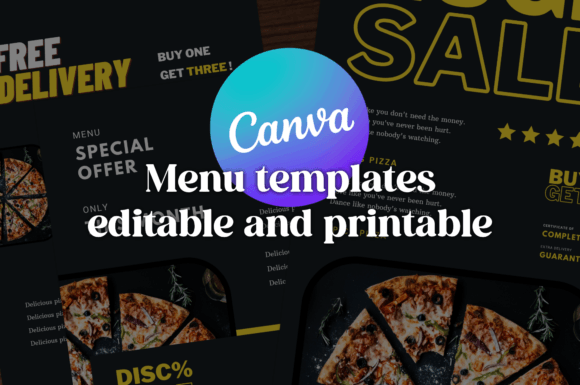
When you're running a pizzeria, a food truck, or a catering service, the menu isn't just a list of prices. It is often the very first handshake between your kitchen and your customer. A great menu needs to do more than just list ingredients; it needs to smell like fresh dough and basil, even if it’s just ink on paper or pixels on a screen. This is exactly the challenge the Canva Templates Pizza Menu package was designed to solve. Moving away from the cluttered, red-and-white checkered designs of the past, this package offers a contemporary visual language that respects the craft of modern food branding.
The Visual Identity: Dark Blue and Orange
The most striking feature of this collection is the specific color palette: dark blue and orange. In the world of food branding, this is a strategic choice. Red is the traditional color for restaurants because it supposedly stimulates appetite. However, in a saturated market, red can feel generic or even aggressive. Dark blue, conversely, conveys trust, professionalism, and a "premium" quality that suggests you aren't just another fast-food joint. It feels stable and calm.
Orange acts as the perfect counterpoint. It provides the energy, warmth, and zest associated with citrus, spices, and wood-fired ovens. It draws the eye immediately to the most important elements—whether that is your signature pizza, a special discount, or the "Order Now" button. This combination creates a modern typography environment where the design feels sophisticated yet approachable. It signals to your customers that you take your ingredients seriously and that you have an eye for quality, which is essential for building a strong brand identity.
Structure and Practicality: The 3-in-1 Layout
One of the most practical aspects of this offering is the inclusion of three distinct layout designs. As a business owner, you know that one size rarely fits all. You might need a large, detailed menu for table service, a condensed version for takeout flyers, and a vertical graphic for Instagram Stories. The Canva Templates Pizza Menu addresses this by providing varied structures within the same aesthetic family.
Because these are editable in Canva, you aren't locked into a static design. Canva is a tool most entrepreneurs already know, meaning the learning curve is virtually non-existent. You can swap out the placeholder food photography for your own high-resolution shots of your pepperoni or margherita. You can adjust the visual hierarchy to emphasize high-margin items like appetizers or craft sodas. The package includes PDF and PNG exports, ensuring that whether you are sending the file to a professional printer or uploading it to a digital kiosk, the resolution and color fidelity remain intact. This flexibility is vital for maintaining brand consistency across all your physical and digital touchpoints.
Influence on Readability and Hierarchy
A menu that is difficult to read is a menu that loses sales. The Canva Templates Pizza Menu design prioritizes readability through clean lines and logical grouping. The layouts utilize sans serif typography for body text, which is excellent for legibility at smaller sizes—perfect for reading descriptions of toppings or sides. Meanwhile, the headings often use a bolder, more impactful display font style to grab attention.
This creates a clear path for the customer's eye. They should be able to glance at the menu and immediately understand the categories (Pizzas, Drinks, Desserts) before diving into the specific items. This concept, known as visual hierarchy, is crucial. If your menu is a wall of text with no variation, customers get overwhelmed and default to the cheapest item. By using these templates, you are leveraging professional design assets that guide the customer toward the items you want to sell most.
Applications Beyond the Paper Menu
While the primary use case is obviously the printed menu, the utility of this package extends much further. In the digital age, your menu is a social media graphic as much as it is a print item. The dark blue and orange theme translates beautifully to screens. You can adapt the designs for web design elements on your homepage, creating a cohesive look between what the customer sees online and what they hold in their hand.
Furthermore, the templates can be adapted for packaging design. Imagine using the same typography and color schemes on your pizza boxes or napkins. This repetition reinforces your brand. If you are a designer working with a client, presenting them with a cohesive system like the Canva Templates Pizza Menu package shows a high level of professionalism. It proves you are thinking about their entire ecosystem, not just a single flyer. It works well for editorial design if you are creating a newsletter for your loyalty program, or even logo design mockups where you need a contextual background to show how the brand lives in the real world.
Practical Guidance for Customization
To get the most out of these templates, you need to approach the editing process with a strategy. First, treat the text as a placeholder, not a script. The default text is generic; your menu copy should have personality. Use descriptive adjectives that evoke taste and texture. Second, pay attention to the font pairing. The templates come pre-paired, but if you decide to tweak them, ensure your headline font contrasts well with your body text. A common mistake is using two fonts that are too similar, which looks like a mistake rather than a choice.
Finally, consider the licensing. Since this is a commercial template package, you are licensed to use it for business purposes, but always double-check the terms regarding the included fonts if you plan to use them in a standalone logo design later. By treating these Canva Templates Pizza Menu designs as a starting point rather than a finished product, you can create a premium font experience for your customers that elevates your pizzeria from a local spot to a recognized brand.